


Voice GPS, Directions & Maps
4.0795.00 Reviews
App Specs
- Version
- 3.0.34
- Updated On
- License
- Free
- Downloads
- 1,000,000+
- Developer
- Delta Raza Studio
- Categories
- Maps & Navigation
- Platform
- Android
Screenshots

 Analysis by AppCompare
When I choose a navigation app, I care less about a long feature list than about whether it helps me make the next decision without distracting me. Voice GPS, Directions & Maps is aimed at that everyday need: it is a free mapping and navigation app from Delta Raza Studio, built around spoken directions. Its appeal is easy to understand if you would rather listen for a turn than keep glancing down at your phone. The more important question is whether its approach suits the routes and habits you actually have.
What I would check before relying on it
I’d start with a short, familiar trip rather than make this my only guide on an important journey. Set a destination while parked, listen to how the voice prompts fit your car or headphones, and check that the route makes sense before setting off. A navigation app can be technically useful and still be a poor match if its instructions arrive at the wrong moment for your driving style.
That small test also helps answer a practical question: can you understand the guidance over road noise, or would you need to adjust the volume or use a different voice? The app offers voice choices, so it is worth trying a couple before a longer drive. I’d also make sure the phone is positioned safely and that the screen is only a quick visual reference, not something I need to study while moving.
For an occasional driver, a newcomer to an area, or someone who often has their hands occupied, voice-led directions can make a real difference. It may be less compelling if you already have a navigation setup you trust, or if you need highly specialized routing for work. The best choice depends on whether clear turn-by-turn help is your main need or just one part of a more demanding travel routine.
Where voice guidance and maps can help
On an unfamiliar drive, spoken prompts reduce the need to interpret a map at every junction. I find that especially helpful when traffic is moving and the road layout is busy: I can keep my attention on what is happening ahead, then glance at the route when it is safe. Nearby place discovery can also help when plans change and I need to find a restaurant or fuel stop without knowing the neighborhood.
For a useful everyday test, imagine leaving work for an appointment across town, then realizing you need to stop for fuel. You can use navigation to get oriented, look for a nearby stop, and continue toward the destination instead of switching between unrelated searches. The practical benefit is not that every trip becomes effortless; it is that directions, a map, and nearby places are brought into the same general workflow.
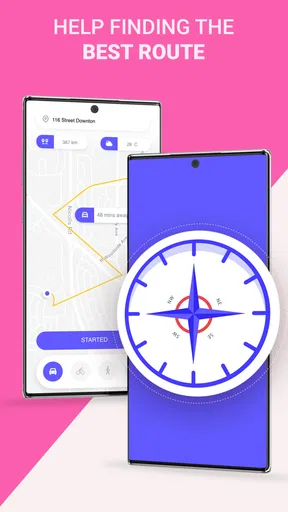
Walking and cycling routes widen its potential beyond car trips, but I would still check that a suggested path is suitable before setting out. A route that looks reasonable on a map may not match your comfort level, the conditions outside, or the kind of ride you want. For a walk in a new part of town, I’d use the map to stay oriented and the voice prompts to avoid constantly holding the phone up.
Worth Reading Before You Choose

EA SPORTS FC Mobile 26 Is a Bigger Football Game, but It Takes Time

Flipboard Shows What News Apps Must Do Beyond the Feed

Switching to Android Auto Means Rethinking Your Driving Routine

Google Calendar Makes a Crowded Week Easier to Manage

Ludo King Makes the Most of the Minutes Between Plans

Baby Panda World Brings Quick Play to Modern Phones, but Its Game Library Feels Busy
Offline use and the trade-offs to consider
Offline maps can be useful when you expect unreliable mobile data, but they reward a little preparation. Before leaving a dependable connection, check the area you plan to visit and make sure the relevant map is available for offline use. Don’t wait until you have already lost service to discover that you needed to prepare. I would treat offline access as a backup for map availability, not as a reason to assume every live navigation feature will behave exactly as it does online.
Traffic updates and rerouting are most useful when they help you compare a delay with the cost of taking another road. A suggested shortcut is not automatically the better choice: it could add turns or take you onto streets you would rather avoid. If I’m driving somewhere unfamiliar, I prefer a route that is easy to follow over one that appears marginally quicker. I’d also avoid changing destinations or studying alternatives while the vehicle is moving.
Maps are only helpful when the information and route fit the moment. Construction, temporary restrictions, or a place’s changing hours can make a familiar-looking plan less reliable, so I would confirm important stops separately when timing matters. That is not a reason to avoid the app; it is a sensible limit to keep in mind with any navigation tool.
How it compares with other navigation choices
Compared with a paper map, a GPS app can guide you turn by turn and respond when you take a different road, while a paper map gives a broad overview without relying on a phone screen or battery. Compared with a general-purpose map app, Voice GPS puts spoken directions at the center of the experience and also includes driving, walking, and cycling use. If you mainly need to explore places, save detailed trip plans, or work with specialist route requirements, another category of navigation tool may suit you better.
There is also a difference between using one app as a main navigator and keeping it as a second option. If your usual app already handles your daily commute well, there may be little reason to switch everything at once. Trying Voice GPS on a familiar route lets you judge its voice prompts and map presentation without risking a missed turn on an unfamiliar road. If it fits, you can gradually make it part of your routine; if not, you have lost little beyond a brief test.
Price, compatibility, and a sensible trial
The app is free to install, with optional in-app purchases listed at prices ranging from $0.99 to $9.99 per item. I’d begin with the free experience and only consider a purchase if I had identified a specific need it addresses. That keeps the decision grounded in your own use rather than paying in advance for extras you may never want. It is rated for Everyone, and its current version is 3.0.33.
Voice GPS was released on January 15, 2018, and its Android requirements start at version 5.0. It has a 4.1 average from around 9,700 ratings, with about 792 written reviews and more than 1 million installs. Those figures suggest it has reached a substantial audience, but they cannot tell you whether its voice, route choices, or interface will feel right on your particular device. A short drive is a more useful test than popularity alone.
If you do switch from another app, the main cost is not learning a complicated system so much as rebuilding confidence. Start with a route you know, compare the suggested turns with the roads you expect, and notice whether the spoken prompts arrive early enough for you. On a longer journey, prepare offline maps in advance if you anticipate weak service, and keep a separate plan for any time-critical stop. These habits make it easier to distinguish an app mismatch from a route that simply needs a little attention.
Ever found yourself in a new city, trying to navigate the labyrinth of streets while juggling your bags and trying to read a tiny map on your phone? Yeah, me too. That's where Voice GPS, Directions & Maps swoops in like a superhero. This app is like having a personal guide whispering directions in your ear, which is perfect for those of us who need a little extra help getting from point A to point B.
Simplifying Navigation with Voice Assistance
Let’s dive into what makes Voice GPS, Directions & Maps a standout. First off, the voice navigation is a game-changer. No more squinting at your screen or missing turns because you didn’t catch the direction in time. The voice guidance is clear and precise, helping you focus on the road, which is especially useful if you're driving or have your hands full.
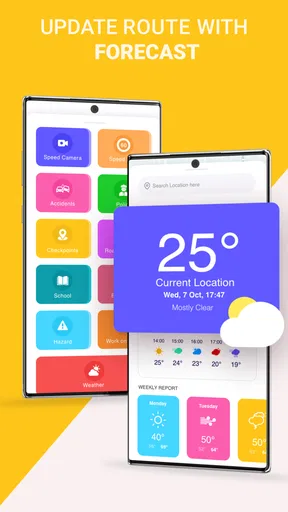
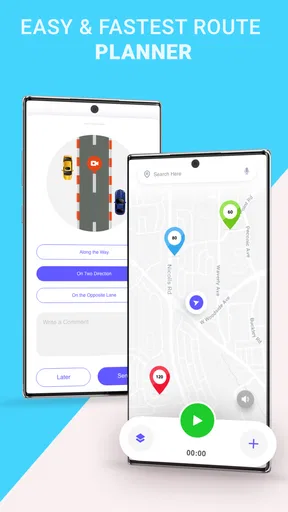
The app also offers real-time updates. You know how annoying it is when you’re stuck in traffic and your ETA keeps getting longer? Well, this app provides live traffic updates and will even reroute you to avoid congestion. It’s like having a savvy friend who knows all the shortcuts and is always a step ahead.
A User-Friendly Experience
One of the things I love about this app is its user interface. It’s clean, intuitive, and easy to navigate (pun intended). Even if you’re not particularly tech-savvy, you’ll find it straightforward to use. Just type in your destination, or better yet, use the voice search feature to save time. The app understands natural language, so you can speak to it like you would to a friend.
Another feature worth mentioning is the offline maps. If you’re traveling to areas where the internet might be spotty, you can download maps beforehand. This ensures you’re never lost, even when your data signal is. It’s a small detail, but it makes a big difference, especially for frequent travelers.
Exploring Additional Features
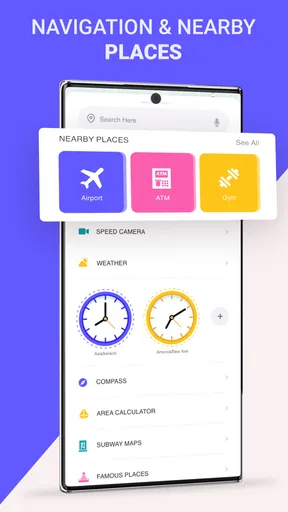
Beyond basic navigation, the app offers some cool extras. You can discover nearby places of interest, like restaurants or gas stations, which is super handy when you’re in unfamiliar territory and desperately need a coffee fix. Plus, if you’re someone who loves to walk or cycle, the app provides routes for pedestrians and cyclists too.
The customization options are a nice touch as well. You can choose different voices for navigation, and if you’re the kind who loves a bit of flair, there are several map themes to suit your style. Whether you prefer a classic look or something more colorful, the app lets you personalize your experience.
Final Thoughts
So, is Voice GPS, Directions & Maps worth downloading? Absolutely. It’s perfect for anyone who values convenience and efficiency. Whether you’re commuting to work, exploring a new city, or just running errands, this app makes navigation a breeze. The voice guidance, real-time updates, and offline capabilities are just a few reasons why it stands out in the crowded world of navigation apps.
In short, if you’re tired of missing turns or getting stuck in traffic, give this app a try. It’s like having a reliable co-pilot who’s always ready to guide you safely to your destination. So, next time you’re heading out, let Voice GPS, Directions & Maps lead the way.
Pros
- User-friendly interface enhances navigation.
- Accurate real-time traffic updates.
- Customizable voice directions.
- Offline maps available for no-data areas.
- Integrates with other apps smoothly.
Cons
- Occasional ads can be disruptive.
- Requires regular updates for accuracy.
- Battery consumption is higher than average.
- Limited features without internet connection.
- Voice options are somewhat limited.
FAQs for Voice GPS, Directions & Maps
What features does Voice GPS, Directions & Maps offer?
Voice GPS, Directions & Maps provides real-time navigation with voice guidance. It includes features like live traffic updates, route optimization, and offline maps. Users can also access location sharing, speed limit alerts, and points of interest. The app aims to enhance your driving experience with easy-to-follow, hands-free directions.
Is Voice GPS, Directions & Maps available offline?
Yes, Voice GPS, Directions & Maps offers offline map functionality. Users can download maps of specific regions or countries to access them without an internet connection. This feature is beneficial for travelers or those in areas with poor connectivity, ensuring uninterrupted navigation wherever you are.
How accurate is the navigation provided by Voice GPS, Directions & Maps?
Voice GPS, Directions & Maps uses advanced algorithms and real-time data to deliver accurate directions. It updates routes based on traffic conditions and user feedback. While generally reliable, accuracy may vary depending on external factors like satellite availability or network strength, especially in remote areas.
Does Voice GPS, Directions & Maps support multiple languages?
Yes, the app supports multiple languages for both interface and voice navigation. Users can choose their preferred language from a comprehensive list, making it accessible to a global audience. This feature ensures that users can comfortably interact with the app and understand navigation instructions.
Are there any additional costs for using Voice GPS, Directions & Maps?
Voice GPS, Directions & Maps is free to download with basic features. However, there may be in-app purchases or subscription options for premium features like ad-free usage, advanced traffic updates, and exclusive content. Users should check the app store for specific details on pricing and subscriptions.


